

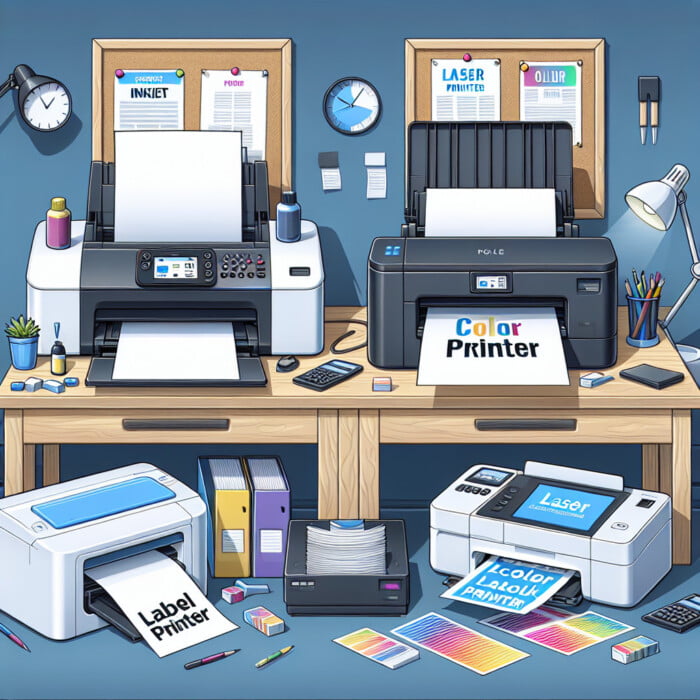
Inkjet vs. Laser Color Label Printers Compared
Key Highlights
- This guide looks at inkjet and laser color label printers.
- You will find the good and bad sides of each type and how they function.
- We will check important things like print quality, durability, cost, and uses.
- Discover which printer type is best for your labeling needs.
- We will also check out top brands and what makes them different from others.
Introduction
In today’s competitive market, high-quality label printing is very important for all businesses. You might need labels for product packaging, shipping, or promotional materials. Digital color label printers provide a easy and cost-effective way to get these labels. Thanks to new technology, businesses can now find many types of label printers that fit their needs and budgets, offering print quality that impresses.
Understanding Color Label Printers
Color label printers help businesses manage their branding and labels by doing it themselves. Instead of buying pre-made labels, these printers make it easy to create labels whenever needed. This saves both time and money.
Color label printers are great for all types of businesses, from small shops to big factories. They offer flexibility and control that make work easier and support branding goals. You can use them to print attractive product labels, create strong barcodes, or make shipping labels with changing information. Today, these printers are essential for many businesses.
The Basics of Color Label Printing Technology
Color label printers have advanced technology to make high-quality labels. They can vary in complexity, so it’s important to know these features when picking a printer for your needs.
Print width is the maximum size of the label the printer can work with. This matters a lot based on how big you want your labels to be. DPI resolution helps decide how clear and sharp the image looks. A higher DPI means your labels will have more detail.
These printers also use blank label rolls made for their specific ink or toner type. Picking the right label materials helps make sure you get good print quality and strong durability.
Key Players in the Color Label Printer Market: Primera Technology, Epson, Afinia Label, VIPColor, NeuraLabel, Astro Nova, Canon
The color label printer market has many well-known brands. One important name is Primera Technology. They make desktop inkjet printers that print with great quality. Many small and medium businesses like their products.
Epson is another key player in the market. Their ColorWorks series is famous for fast, durable, and colorful inkjet printers.
Afinia Label stands out too. Their printers work well for different uses, like product labeling, packaging, and making labels that follow GHS BS5609 rules. They offer printers for both beginners and large operations. All their machines are known for being reliable and cost-effective.
These brands, along with others like VIPColor, NeuraLabel, Astro Nova, and Canon, help push new ideas in color label printing. As the market grows, we can look forward to better printing technology, lower prices, and more specialized features in the future.
Who makes the best color label printers for home business
For home businesses, it is important to find a balance between price, features, and print quality. Desktop color label printers, like those from Primera Technology and Epson, are popular choices. These small printers give great print resolution and use dye or pigment inks for bright and long-lasting labels. This makes them ideal for businesses starting out with their own label printing.
When choosing a printer, look for one with an easy-to-use interface and the ability to handle different media. Make sure it works with both Windows and Mac systems. Also, check for affordable blank label rolls and ink cartridges to keep costs down.
By getting a good desktop color label printer, home businesses can improve their branding. They can make professional product labels and make their work easier, all from their own space.
Who makes high quality color label printer for Industrial Manufacturers
What are the advantages of using a color label printer?
Color label printers offer vibrant and eye-catching label printing, making products more appealing. They also provide faster printing speeds, higher resolution color prints, and the ability to print on a variety of label materials, catering to different labeling needs efficiently.
Industrial manufacturers need strong color label printers. These printers must handle a lot of printing while keeping print quality high and lasting a long time. Epson’s ColorWorks printers are popular in hard-working places. They print fast and use large ink cartridges to create high-resolution labels. This means sharp text and clear barcodes, even for big printing jobs.
When picking a printer for industrial use, think about things like print width, compatibility with media, and the ability to work with different label sizes. Durability is very important too. Choose printers that use pigment-based inks and can print on tough synthetic materials. This way, labels will last in harsh conditions and resist fading and scratches.
By getting a printer that fits their needs, industrial manufacturers can be more efficient, follow industry rules, and keep up a strong brand image.
Who makes the best color product label printer for business
Choosing the right color label printer is important for a business’s workflow and branding. A printer that has fast print speeds, like Epson ColorWorks or VIPColor, can save a lot of time when making labels in-house.
For businesses that want to improve their label design process, it’s vital to have software that connects well with the printer. Bartender is a popular software for this. It is often included with major printer brands and provides professional tools for designing labels and easy printing.
Also, make sure the printer can make barcodes correctly. This is essential to prevent scanning mistakes later on. Accurate barcodes help with managing inventory, shipping, and retail tasks.
Who makes the best professional color label printer for special food manufacturing
Food and beverage makers need special color label printers that follow strict rules. It’s important to find printers that use food-safe inks. This way, the labels are safe for consumers. The printers also need to be durable to handle different temperatures and moisture. Pigment inks are the best choice as they resist water and fading.
Besides meeting rules, food makers want labels that look good. Picking a printer that makes bright colors, clear graphics, and a shiny finish can help products stand out on the shelves and be recognized by shoppers.
Printers from Afinia and Epson are great options. They offer many ink types and work with different label materials, making them perfect for this industry.
Who makes the best color label printer for GHS BS5609 Industry
The Globally Harmonized System of Classification and Labeling of Chemicals (GHS) requires certain labeling rules. One key rule is the BS5609 standard, which focuses on making labels that can stand up to tough chemicals and marine conditions. Printers for GHS BS5609 compliance must use special pigment inks and suitable synthetic label materials.
Primera Technology and Epson sell printers and label materials that meet these strict standards. Pigment-based inks are very durable. They resist fading, scratching, and smudging, even when they face sunlight, water, and chemicals. This helps keep labels clear for a long time. Note: Epson ColorWorks printer series has the largest selection of Pigment inkjet printers for the GHS BS5609 compliant chemical industry.
Besides just following the rules, these printers help businesses in the chemical industry be efficient and flexible. They also give peace of mind because their labels meet international safety standards.
Who make the best color label printer with white Ink
White ink is important when printing on clear or black color labels. It gives you more options for design and makes your prints look more professional. Currently, white ink color label printers are only available in a laser label printer and they include OKI Data Pro 1050 and Afinia Label LT5C, NeuraLabel SIrius and QuickLabel QL-300. These are all OEM printers based on the OKI Pro 1050 color laser label printer which used CMYK+White toner.
When picking a printer with white ink, check if it works well with the label materials you plan to use. It’s best to choose printers that have separate white ink cartridges. This way, you waste less ink since white is not used as much as other colors.
Also, make sure to set up the printer properly. This is key for getting the best white ink coverage. Good quality ink is also important for lively and lasting results.
Inkjet Color Label Printers: An Overview
Inkjet color label printers are popular because they are cheap, easy to use, and make bright colors. These printers are good for many uses. They work by shooting tiny drops of ink onto the label. This creates text, images, and barcodes.
These printers are known for their great print quality. They can print high-resolution graphics, which is perfect for businesses that need appealing labels. They can also print on different materials. This includes glossy, synthetic, and transparent labels, not just regular paper ones.
How Inkjet Color Label Printers Work
Inkjet color label printers work in a simple way. They have tiny nozzles that spray small dots of ink onto the label according to the chosen design.
These printers use different ink cartridges for cyan, magenta, yellow, and black, known as CMYK. This setup helps them create a wide range of colors. The dpi resolution in the printer settings allows users to change the level of detail in the printed label. A higher dpi means better color blends and more details, which is really important for images and complex designs.
To design a label, people usually use software. This software can come from the printer maker or a different source. Users can bring in images, add text, and include barcodes before they send the finished file to the printer.
Advantages of Using Inkjet for Color Labels
Inkjet printers are known for their great ability to make high-quality images and bright colors. This makes them perfect for labels where looks matter a lot. Many models come with software, such as Epson’s Label Boost, which makes designing color shipping labels easier. They also let you add variable data for dynamic labels. Plus, they work well with different label materials like glossy, synthetic, and shiny ones, making them very useful.
These printers let businesses manage their labeling without needing third-party help. This helps with faster results and can save money. There is also the option to add extra tools like finishers. This lets businesses laminate, cut, and die-cut labels, giving them a nice, professional look while making label production more efficient.
For these reasons, and because they usually cost less upfront than laser printers, inkjet color label printers have become a popular choice for businesses that want high-quality, flexible, and budget-friendly labeling solutions.
Pigment Inkjet versus Dye Inkjet – What’s the Difference
Choosing between pigment and dye-based inks depends on the intended use of the labels. Pigment inks, known for their superior durability and resistance to fading, water, and smudging, are ideal for labels exposed to harsh environments or prolonged sunlight. Pigment inks are also best for printing matte labels, like matte paper, matte BOPP, and matte GHS BS5609 chemical labels. On the other hand, dye-based inks, often favored for their vibrancy and ability to produce a wider color gamut, are suitable for labels where color accuracy and eye-catching graphics are crucial. Dye inks are best for printing glossy labels like high gloss paper, glossy polypropylene, and glossy polyesters.
Here’s a simple comparison table:
|
Feature |
Pigment Ink |
Dye Ink |
|
Durability |
High |
Moderate |
|
Fade resistance |
Excellent |
Good |
|
Water resistance |
Excellent |
Good |
|
Color vibrancy |
Good |
Excellent |
|
Cost |
Higher |
Lower |
Ultimately, understanding the differences between pigment and dye inks empowers businesses to select the best inkjet color label printer for their unique labeling requirements.
About Epson ColorWorks Pigment Inkjet Color Label Printers
Epson ColorWorks Pigment Inkjet Color Label Printers are renowned for their exceptional print quality and durability. Epson has the largest selection of color label printers from the CW-C4000, CW-C6000 4 inch printers to the CW-C6500 8-inch wide format printers to the ultra fast industrial printer like the CW-C8000. All Epson printers print at 1200 dpi and are easy to use and provide great performance. Work with windows and MAC OS. With precise dpi resolution, they produce vibrant labels ideal for various industries. These printers offer compatibility with a range of label sizes and types, ensuring versatility in label design. Epson ColorWorks printers are equipped with advanced technologies to meet the demands of professional label printing, making them a top choice for businesses seeking high-quality, long-lasting labels.

Afinia Dye Inkjet Color Label Printers
Afinia Dye Inkjet Color Label Printers: Afinia offers versatile dye inkjet printers known for vibrant colors and high-quality prints. These printers are ideal for businesses focusing on label design and quality. With Afinia’s advanced technology, users can expect precise color reproduction and durability essential for professional labels. The printers are compatible with various label sizes and finishes, making them suitable for diverse labeling needs. Afinia Dye Inkjet Color Label Printers provide an efficient and cost-effective solution for businesses seeking high-resolution labels.
VIPColor Color Label Printers Featuring Memjet Technology
VIPColor color label printers boast cutting-edge Memjet technology, ensuring high-speed, reliable, and vibrant color label printing. Afinia offers the L502 which can switch between dye and pigment inks, along with their Memjet Technology based L701, L801 and L901 high speed industrial label printers. These Memjet printers are all dye ink based and great for the specialty food packaging and labeling business or to use with a digital finisher. With impressive print resolution and quality, these printers are ideal for various industries. The Memjet technology enhances printing efficiency, making VIPColor printers a preferred choice for businesses needing superior label printing capabilities. From label design to durability, VIPColor printers excel in meeting diverse printing needs with precision and speed.

Primera dye inkjet color label printers for your home
Primera Technology offers the LX500c, LX600, LX910, and LX3000 color label printers suitable for home use. These printers provide the best print quality in the industry at 4800 dpi, making them ideal for home-based businesses. While they excel in producing high-quality labels, they do have slower print speeds and higher ink costs due to using tri-color ink cartridges for color printing. For those with low label production needs, Primera offers affordable options that are perfect for home-based or small businesses.
Laser Color Label Printers Explained
Laser color label printers use toner instead of liquid ink. The toner is a fine powder. It gets fused onto the label using heat and pressure. This creates strong, high-quality prints. These prints resist fading and smudging. This method is great for businesses that need a lot of labels or those that face tough conditions.
Even though laser printers may cost more at first, they can save money over time. This is especially true for businesses that print labels a lot. The toner cartridges in laser printers last longer than ink cartridges, so you need to replace them less often.
The Mechanism Behind Laser Color Label Printing
Laser color label printing uses an electrostatic method to make images. It begins when a laser beam scans a special drum. This process creates an electrostatic image of the label design. The image pulls toner particles toward it. These particles are then moved onto the label.
The toner sticks to the label by using heat and pressure. This makes the print permanent and strong. The printer’s dpi, or dots per inch, sets how clear the printed image is. Printers with higher dpi show more details and smoother colors.
At the end, a built-in cutter cuts the printed label from the roll. This lets you use it right away or process it more, based on your needs.
Why Choose Laser Printers for Your Color Labels
One big benefit of laser color label printers is how durable the labels are. The prints made with toner resist water, fading, and smudging. This makes them great for labels that need to handle shipping and other tough conditions.
Laser printers also offer high print quality. They create clear text, detailed graphics, and accurate barcodes. This makes them perfect for product labels and other uses where a nice look matters a lot.
Even though laser printers usually cost more at first than inkjet printers, they can save you money in the long run. They print a lot of pages and have lower running costs. This is especially good for businesses that need a lot of color label printing.
Conclusion
In conclusion, the choice between inkjet and laser color label printers depends on what you need. Inkjet printers give bright colors and work well for small businesses or home use. Laser printers, however, are tougher and better for industrial settings. Knowing the tech differences and thinking about your needs will help you decide wisely. Whether you need it for business, special food manufacturing, or meeting rules like GHS BS5609, picking the right color label printer is key for good labeling solutions. Take some time to look at your options in terms of functionality, durability, and cost.
Frequently Asked Questions
What Is the Difference Between Dye Inkjet and Pigment Inkjet Printers?
The main difference is in the ink used. Dye ink is bright and has many colors. It makes prints that look great, but they are not very durable. On the other hand, pigment ink has tiny particles. This type of ink creates images that last longer, resist water, and don’t fade easily. However, it may not have as many colors to choose from.
Which Technology Produces the Best Color Labels: Inkjet or Laser?
There is no single answer for everyone. Inkjet printers, especially those with high dpi, like Epson’s ColorWorks, are great for producing bright and detailed graphics on different materials. On the other hand, laser printers are usually chosen for their strong durability and lower cost for large printing jobs. The “best” choice really depends on what you need and what is most important for your printing tasks.